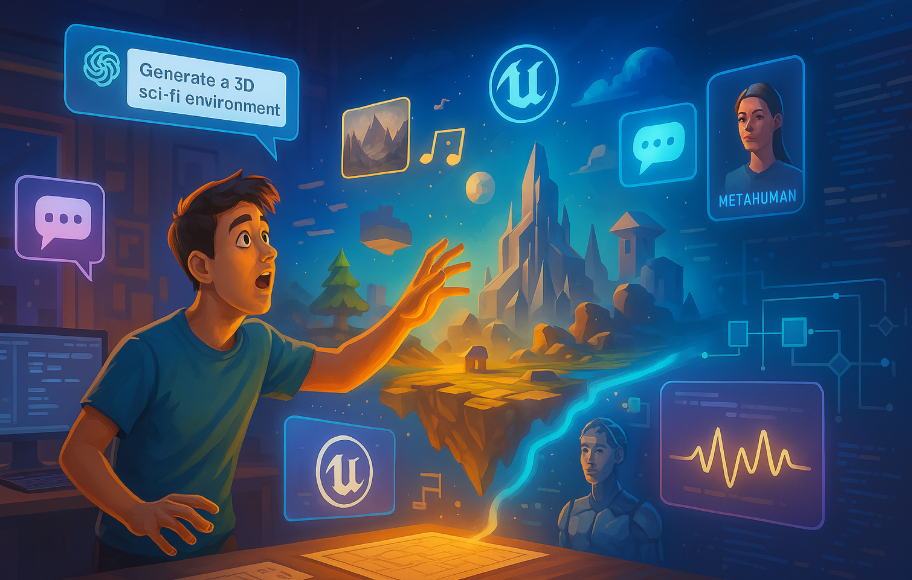

What if we told you that you could build and launch your very own video game using only AI tools and your creative spark — no coding, no 3D modeling, no animation skills required? With Unreal Engine 5 and today’s AI tools, it’s not only possible — it’s happening.
In this guide, we’ll walk you step-by-step through how you (yes, even with zero experience) can build a stunning, playable game using Unreal Engine 5 (UE5) and the power of AI.
🧠 Step 1: Planning Your Game with AI
Tools to use:
- ChatGPT
- Notion or Google Docs
- Midjourney/DALL·E for concept art
What to do:
- Define the core idea – Ask ChatGPT:
“Help me come up with a story-driven sci-fi survival game idea with a twist.” - Outline the world and gameplay mechanics –
Prompt ChatGPT to help flesh out:- Worldbuilding
- Characters
- Progression system
- Enemies and NPCs
- Player objectives
- Create visual references –
Use AI image generators like Midjourney, DALL·E, or Leonardo.Ai to bring your world and characters to life in concept art.
🏗️ Step 2: Set Up Unreal Engine 5
What you need:
- A decent PC with a dedicated GPU
- Install Unreal Engine 5
- Create a free Epic Games account
Steps:
- Open the Epic Games Launcher
- Navigate to the Unreal Engine tab → Library → Install UE5
- Create a new project: Choose Third-Person or First-Person Template (depends on your game style)
🌍 Step 3: Build Your Game World Using AI Assets
Use these tools:
- Quixel Megascans (built into UE5)
- Sketchfab (download free assets)
- Scenario.gg or Leonardo.Ai (generate props)
- ChatGPT + Python plugin (for automating asset naming, logic scripting)
How to do it:
- Use Quixel Bridge (inside UE5) to drag-and-drop photorealistic landscapes, textures, and props.
- Import AI-generated 3D models using Sketchfab or convert 2D AI art into 3D with Kaedim or Luma AI.
- Use World Partition in UE5 to design large, open worlds without managing level streaming manually.
🧠 Tip: Ask ChatGPT something like:
“How do I add a modular sci-fi corridor to my UE5 game using Quixel and Sketchfab assets?”
🧍 Step 4: Add Characters and Animations with AI
Tools to use:
- Ready Player Me (custom characters)
- Mixamo (free character animations)
- MetaHuman Creator (high-fidelity humans)
- NVIDIA Audio2Face or Altered AI (voiceover)
- ElevenLabs (realistic voice AI)
Steps:
- Generate a playable character using MetaHuman or Ready Player Me and import into UE5.
- Add animations (walk, run, jump, attack) from Mixamo.
- Use AI voice tools to give your characters dialogue with emotion.
- Use ChatGPT to generate dynamic dialogue trees or mission text.
🧠 Step 5: Add Gameplay Logic (With No Coding)
Tools to use:
- Unreal Engine Blueprints (visual scripting)
- ChatGPT for blueprint guidance
- Copilot for UE5 (experimental, GitHub plugin)
Example:
Want to make a door that opens when the player gets near?
Ask:
“Create a blueprint in UE5 for a door that opens when the player overlaps a trigger box.”
Copy the steps or node layout into UE5’s Blueprint editor. You’ll get results without writing a single line of code.
🧪 Step 6: Testing & Debugging with AI Help
Tools to use:
- Unreal’s Play-In-Editor (PIE)
- ChatGPT for debugging logic
- Test players or AI-generated QA scenarios
How:
- Use PIE to playtest in real-time.
- When something breaks, ask:
“Why isn’t my blueprint for the enemy AI patrol working?”
Paste screenshots or describe what’s happening. ChatGPT can walk you through fixing it.
- Use AI to write test cases and check for edge cases:
“What bugs might happen in a survival game with hunger mechanics?”
🚀 Step 7: Polish and Package the Game
Add these:
- UI using UWidgets and AI-generated icons
- Sound FX from Epidemic Sound, Freesound.org, or generated using AudioCraft
- Background music from Soundraw or AIVA
Then:
- Go to “Package Project” → choose your target platform (Windows, Mac, Android, etc.)
- Test the build locally
- Create a store page (Steam, itch.io, or Epic Games Store)
Ask:
“What do I need to launch a game on Steam as an indie developer?”
📣 Step 8: Launch & Promote Your Game
Promotion tools:
- ChatGPT for press releases
- Canva + Midjourney for key art
- Twitter, Reddit, Discord, TikTok
- Mailchimp or Beehiiv for newsletters
Use AI to generate:
- A game trailer script
- A launch day checklist
- SEO-optimized descriptions for your game pages
✅ Final Thoughts: What AI Lets You Skip
| Task | Traditional | With AI |
|---|---|---|
| Writing code | Manual | Blueprints + ChatGPT |
| 3D Modeling | Blender | Midjourney + Sketchfab |
| Animation | MoCap | Mixamo |
| Voiceover | Studio time | ElevenLabs |
| Testing | QA team | AI + solo |
| Marketing | Copywriter | ChatGPT + Canva |
🛠️ Recommended AI Stack
- ChatGPT – Planning, logic, debugging
- Midjourney / DALL·E – Concept art
- MetaHuman – Character creation
- Mixamo – Animations
- Leonardo.Ai / Scenario.gg – 3D props
- ElevenLabs – Voiceovers
- Luma AI / Kaedim – 3D generation
- Canva – Promo assets
- Soundraw / Epidemic Sound – Music & FX
🎯 In Conclusion
You don’t need to be a coder, animator, or designer to make games anymore. With Unreal Engine 5 and a few smart AI tools, your imagination is the only real limit.
Ready to create the next big indie hit? Just open up UE5, chat with your AI assistant, and start building.


